[Home-K8S] #22 FluxCD 계층과 분리 / 다중 클러스터 리소스 공유와 설정 분리
FluxCD - yaml 앞서 fluxcd 를 이용해서 helm chart 를 구성했습니다. 그 외에 일반적인 yaml 파일을


기본적으로 Ghost CMS는 Ghost CMS에 로그인을 해야 댓글을 달 수 있습니다.
셀프 호스팅을 해도 내 Ghost에 가입을 해야 댓글을 달 수 있게 해놨어요.
근데 제 블로그에 누가 많이 들어올 것 같지도 않은데 가입은 더 안 할것 같아서 로그인이 필요 없는 댓글 서비스를 하려고 찾고 있었습니다.
Ghost CMS에서 권장하는 댓글 서비스는 Disqus 입니다. 무료 서비스이기도 하고 사용하기도 편해요. 그냥 들어가서 가입을 진행하면 됩니다.


    ...

    <div id="disqus_thread"></div>
    <script>
        var disqus_config = function () {
        this.page.url = "{{url absolute="true"}}";
        this.page.identifier = "ghost-{{comment_id}}";
        };
        (function() { // DON'T EDIT BELOW THIS LINE
        var d = document, s = d.createElement('script');
        s.src = 'https://SHORTNAME.disqus.com/embed.js';    # site shortname
        s.setAttribute('data-timestamp', +new Date());
        (d.head || d.body).appendChild(s);
        })();
    </script>
    <noscript>Please enable JavaScript to view the <a href="https://disqus.com/?ref_noscript">comments powered by Disqus.</a></noscript>

</section>
{{/post}}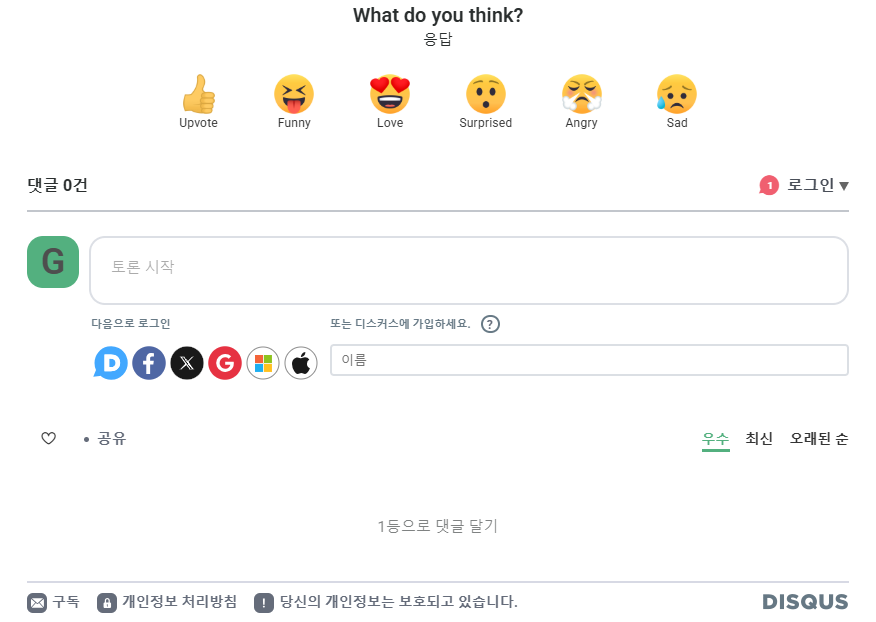
Comments