[Home-K8S] #22 FluxCD 계층과 분리 / 다중 클러스터 리소스 공유와 설정 분리
FluxCD - yaml 앞서 fluxcd 를 이용해서 helm chart 를 구성했습니다. 그 외에 일반적인 yaml 파일을

기존에는 인증을 위해서 Authelia 를 사용하고 있었습니다. Authelia 는 oidc 를 제공하지 않기에 envoy-gateway 로 변경하면서 oidc를 지원하는 서비스로 Dex idp 를 선택했습니다.
Authelia 를 구성하면서도 외부 인증(Github, Google 등) 을 연결하고 싶긴 했지만, 당시에도 Oauth2-proxy 를 구성하기 싫어서 그냥 auth-url 로 인증할 수 있게 진행했습니다.
(Dex idp 는 인증(Authentication)은 지원하지만 인가(Authorization)는 지원하지 않습니다.)
Authelia 와 비슷하게 config yaml 파일 하나로 정의합니다.
---
apiVersion: v1
kind: ConfigMap
metadata:
  name: dex-config
  namespace: dex
data:
  config.yaml: |
    issuer: https://auth.example.com

    storage:
      type: kubernetes                     # k8s 에서 사용
      config:
        inCluster: true

    web:
      http: 0.0.0.0:5556

    enablePasswordDB: true                 # staticPassword 사용

    oauth2:
      passwordConnector: local
      skipApprovalScreen: true

    staticPasswords:                       # htpasswd hash
    - email: [email protected]
      hash: "$2y$05$pAFBPC.Wgk1A9RGkGn1RkuUtQKnLD9XnU7Rm3SN9leyR9Q/o2CcGO"
      username: dogring
      userID: dogring

    staticClients:
    - id: envoy-gateway
      name: 'Envoy Gateway'
      secret: 346e20aa803cdba8db5debc1b7f1e583d7a17f4f
      redirectURIs:                        # 인증할 url + path
      - 'https://app1.example.com/oauth2/callback'
      - 'https://app2.example.com/oauth2/callback'

    - id: grafana
      name: Grafana
      secret: e60af2dd7372290495b10a89ef0a08690bcbdf7f
      redirectURIs:
      - 'https://gf.example.com/login/generic_oauth'
staticPassword: hash 값으로 넣어야 합니다. (htpasswd -n -B passwd | cut -d':' -f2)
redirectURIs: "인증할 도메인 + 인증으로 사용할 경로"로 사용합니다.
secret: envoy-gateway의 securityPolicy 와 연결할 secret 입니다. (openssl rand -hex 20 랜덤 생성)
dex 를 k8s 에서 사용하기 위해 k8s storage 로 적용하게 되면 dex가 crd 를 이용하여 리소스를 관리합니다.
dex의 Service Account 를 만들고 role 을 연결해 줍니다.
apiVersion: v1
kind: ServiceAccount
metadata:
  name: dex
  namespace: dex
---
apiVersion: rbac.authorization.k8s.io/v1
kind: ClusterRole
metadata:
  name: dex
rules:
# CRD 생성 권한
- apiGroups: ["apiextensions.k8s.io"]
  resources: ["customresourcedefinitions"]
  verbs: ["create", "get", "list"]

# dex.coreos.com 리소스 관리 권한
- apiGroups: ["dex.coreos.com"]
  resources:
  - authcodes
  - authrequests
  - connectors
  - oauth2clients
  - offlinesessionses
  - passwords
  - refreshtokens
  - signingkeies
  - devicerequests
  - devicetokens
  verbs: ["*"]

---
# 3. ClusterRoleBinding 생성
apiVersion: rbac.authorization.k8s.io/v1
kind: ClusterRoleBinding
metadata:
  name: dex
roleRef:
  apiGroup: rbac.authorization.k8s.io
  kind: ClusterRole
  name: dex
subjects:
- kind: ServiceAccount
  name: dex
  namespace: dex
필요한 것은 다 생성했으니 deploy로 띄웁니다.
apiVersion: apps/v1
kind: Deployment
metadata:
  name: dex
  namespace: dex
spec:
  replicas: 1
  selector:
    matchLabels:
      app: dex
  template:
    metadata:
      labels:
        app: dex
    spec:
      serviceAccountName: dex                     # 생성한 SA
      containers:
      - name: dex
        image: ghcr.io/dexidp/dex:v2.44.0
        command:
        - /usr/local/bin/dex
        - serve
        - /etc/dex/cfg/config.yaml
        ports:
        - name: http
          containerPort: 5556
        volumeMounts:                             # 생성한 config
        - name: config
          mountPath: /etc/dex/cfg
        env:
        - name: KUBERNETES_POD_NAMESPACE
          valueFrom:
            fieldRef:
              fieldPath: metadata.namespace
      volumes:
      - name: config
        configMap:
          name: dex-config
---
apiVersion: v1
kind: Service
metadata:
  name: dex
  namespace: dex
spec:
  selector:
    app: dex
  ports:
  - name: http
    port: 5556
targetPort: 5556이제 외부에서 접속할 수 있게 httproute 를 작성합니다.
apiVersion: gateway.networking.k8s.io/v1
kind: HTTPRoute
metadata:
  name: dex
  namespace: dex
spec:
  parentRefs:
  - name: envoy-gateway
    namespace: envoy-gateway
  hostnames:
  - auth.example.com
  rules:
  - matches:
    - path:
        type: PathPrefix
        value: /
    backendRefs:
    - name: dex
      port: 5556
config > issuer 의 URL과 동일해야 합니다.
해당 URL에 접속해도 로그인 창이 뜨거나 하진 않습니다
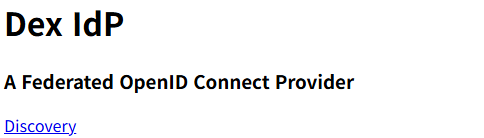
https://auth.example.com/.well-known/openid-configuration
해당 경로로 접속했을 때 JSON 형식으로 정보가 뜨면 잘 동작한다고 보시면 됩니다.
Comments